
Office server room or data centre: which is right?
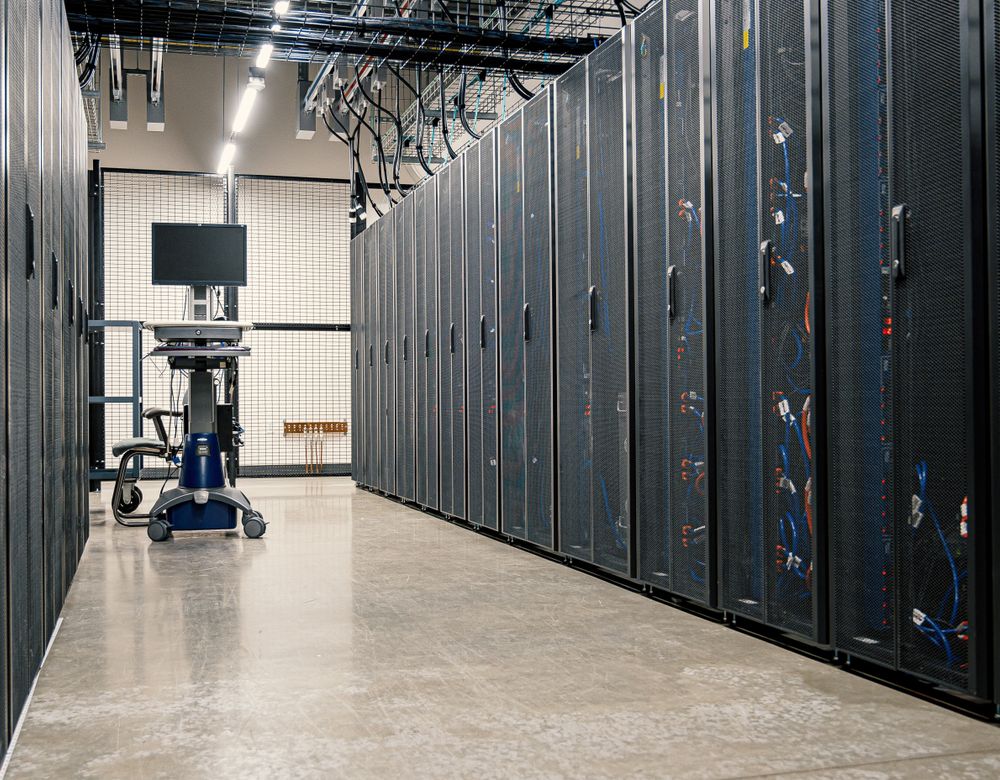
If your servers must stay your own, a data centre gives you redundant power, cooling, connectivity and physical security that an office server room usually lacks. If owning servers doesn’t matter, also consider Microsoft Azure or Microsoft 365. Here’s how to compare the options.
Comparison
| Criterion | Office server room | Data centre | Cloud (Azure / M365) |
|---|---|---|---|
| Power and cooling | Often no redundancy | Redundant | Part of the service |
| Physical security | Limited | Access control, surveillance | Part of the service |
| Connectivity | One provider | Several providers | Part of the service |
| Cost | Lower upfront, high risk | Predictable monthly | Pay as you use |
| Hardware | Yours | Yours | Not needed |
| Flexibility | Low | Medium | High |
What downtime costs
When comparing options, look beyond monthly costs to the cost of downtime. A simple formula: people unable to work × their hourly cost × outage duration + lost orders and reputation. A single power or air-conditioning failure in an office server room often costs more than a year of data-centre services.
What to look for in a data centre
When choosing a data centre, check:
- redundant power (UPS and generators) and cooling;
- several connectivity providers and connection quality;
- physical security, access control and video surveillance;
- the data centre’s standards and certifications;
- location in Lithuania or the EU (relevant for data protection);
- local technical help when hands are needed on-site.
When to choose the cloud
The cloud usually pays off when:
- servers do standard jobs – files, e-mail, user management (Microsoft 365 takes these over);
- you need to scale up or down quickly;
- people work from different locations;
- you don’t want to invest in new hardware.
When to change
Consider a move if:
- power or air-conditioning failures keep happening;
- servers are ageing or their software support is ending (e.g. Windows Server 2016 on 12 Jan 2027);
- customers or NIS2 require more resilience;
- you’re moving or downsizing the office.
Decided to move your servers? See how we do it – from assessment to a weekend move – on colocation: moving servers to a data centre. Considering the cloud instead? See server migration to Azure.
How a move works
Assessment
Servers, applications, dependencies and connectivity needs.
Plan
Timeline, maintenance window and rollback scenario.
Move
Usually over a weekend so work doesn’t stop.
Check and manage
We verify everything works and keep managing the environment.
Frequently asked questions
What is colocation?
Colocation means hosting your own servers in a data centre: the hardware stays yours, while the data centre provides rack space, redundant power, cooling, connectivity and physical security.
Is a data centre safer than an office server room?
Usually yes: it has backup power, several connectivity providers, access control and video surveillance that an office server room typically lacks.
Will moving servers stop our work?
The move is planned in advance and usually done over a weekend, so downtime on working days is avoided.
Data centre or cloud – which should we choose?
If your servers must stay your own (e.g. because of specific applications or licences), choose a data centre. If they do standard jobs, Microsoft 365 or Azure often pays off.
Related services
To a data centre
Server colocation in Lithuania: we move servers from your office to a data centre with redundant power, cooling and security. Moved over a weekend.
Learn moreTo Azure
Move servers and business applications to Microsoft Azure: virtual machines, backup, disaster recovery and Azure Virtual Desktop.
Learn moreWindows Server 2016
Windows Server 2016 security updates end on 12 January 2027. Four paths: Windows Server 2025, Azure, Microsoft 365 or ESU. Get a readiness assessment.
Learn more